How it works

Turn conversations into organized work.

AI REV Voice is a workspace for your client conversations. Prism is the assistant that briefs you, turns meetings into complete notes, and prepares the next actions for you to review.

A phone recapA meeting transcriptYour client context
Prism
Complete notesTasks and datesProposed follow-ups

Context in. Useful work out. You review the next move.

First, give Prism your context.

You choose the accounts and material it can work from. Start with what you need, then add more as your workflow grows.

Your client history

Connect a mailbox or calendar to bring in conversations, attendees, and upcoming meetings. Previous notes build the account history.

Connection options

Your team's documents

Upload the pricing, proposal, and product material your team relies on. Prism can answer from those documents and show its source.

How document context works

Your standard for a complete note

Set the details your team needs: who you met, what was agreed, the next step, the owner, and the date. Missing details become questions.

What goes into a note
Knowledge
Documents Prism Copilot answers from for everyone on your team. Lock a document so it can't be disabled mid-meeting.
Upload for team
Team storage312 MB of 1 GB
PDF, Word, PowerPoint, and more, up to 250 MB.
PDFPilot package 2026.pdf14 pages · uploaded by Ruth · Sep 2LockedReady
PDFPricing 2026.pdf6 pages · uploaded by Ruth · Sep 2LockedReady
PDFSecurity overview.pdf22 pages · uploaded by Owen · Sep 8Ready
PPTXField rollout playbook.pptx41 slides · uploaded by Brian · todayLearning… 64%
The Knowledge panel holds the documents your team wants Prism to use. A ready document can become the source of a live answer.
Before the meeting, ask
“Brief me for Oakline. What changed since our last conversation?”

Prism brings the last conversation, the open commitments, and the next meeting into a brief. Ask follow-up questions as you go.

Then, bring in a conversation.

Use a spoken recap after a meeting, or capture the meeting itself on your computer.

Recap it by phone.

Call Prism after a visit and talk through what happened. A phone call is enough to get your note started.

You do
Say who you met, what changed, and what you promised.
Prism does
Structures the recap and asks for the details your checklist still needs.
You get
A complete note and clear next steps on the right account.
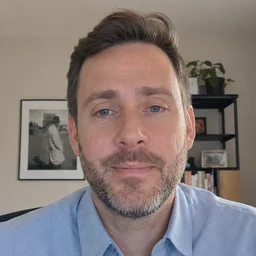
Talking to Prism

Capture the meeting as it happens.

Start recording in the desktop app for Zoom, Meet, Teams, or an in-person meeting. No bot needs to join.

You do
Start capture on your computer and have the conversation.
Prism does
Uses the transcript to identify decisions, commitments, and next steps.
You get
The meeting note beside its transcript, with the source of each commitment.
How meeting capture works

A meeting note you can check against the call.

Prism organizes the conversation into a summary, next steps, and commitments. Select a timestamp to find the original words in the transcript.

Recording

Discovery call · Oakline Freight

Today, 12:04 · 00:31:06 · EN · Google Meet

Oakline FreightPilot

Summary

Oakline is considering a 40-seat pilot across three sites, including two on-site training days. Brian will send the revised quote by Friday. John owns the security review; final approval is still to be confirmed.

Conclusions

The pilot scope is agreed in principle. Oakline still needs to confirm who gives final approval.

Next steps

  • Brian to send the revised quote by Friday.
  • John to send the security questionnaire on Monday.

Commitments

Brian Goodman
    JPJohn Park
    • 00:13:20Send the security questionnaire on Monday.

    This example shows Oakline's discovery call after capture. Commitments stay attached to the person who made them and the moment they were said.

    The work stays with the account.

    Voice includes clients, deals, notes, tasks, and a pipeline. Each conversation adds to the same workspace, so the next meeting starts with more context.

    Matched
    Discovery call · Oakline Freight
    Oakline FreightPilot · $48,000Matched · 0.96
    Why: Carol Susi and John Park are Oakline contacts, the calendar event named the account, and the pilot is the one open deal.
    Prism shows why the conversation belongs on Oakline. If two clients fit, it asks you to choose.
    How matching works
    Oakline Freight
    Oakline · Pilot · $48,000 · Carol Susi
    SummaryUpdated just now

    Oakline is considering a 40-seat pilot across three sites, with two on-site training days. John Park will send the security questionnaire on Monday. Brian will send the revised quote by Friday. The final decision maker still needs to be confirmed.

    Activity
    SmartAll activityThis deal
    Re: pilot timeline
    Carol Susi · today 13:41
    Discovery call · Oakline Freight
    Recording · today 12:04 · 31 minNext stepObjection
    Voice note · after the site visit
    Brian · Monday 17:22 · 1:12Budget
    Intro call with Carol
    Logged · Sep 2
    The client record brings the running summary, meeting, note, and email into one timeline.

    What you get, and where to find it

    Meeting note
    Notes and the client record

    The summary, decisions, and next steps, ready to review or correct.

    Transcript
    Recordings

    The captured conversation beside the note, with timestamps to check the source.

    Commitments
    Tasks

    The action, owner, and due date, linked back to the client and deal.

    Proposed follow-up
    The Operator

    A draft or proposed action with its context, waiting for your decision.

    Already use a CRM? Explore the connection options. You can also use the Voice workspace on its own.

    Review the next move. Say what to change.

    The Operator brings proposed work into one queue. Read the draft, check the destination, and approve, change, or hold it. Sending a follow-up requires your approval.

    Explore the Operator
    Your correction
    “Make the quote deadline Monday and include the two training days.”
    Operator Drafted reply

    Send Carol the revised quote and pilot plan

    Based onDiscovery callOakline · Pilot
    To Carol SusiRe: pilot timeline

    Carol, I will send the revised quote by Friday Monday. The pilot includes two on-site training days.

    Check the change, then approve the reply when it is ready.
    The proposed reply keeps its source and destination visible while you review the wording.

    A few practical questions.

    Do I have to record every meeting?

    No. You can call Prism afterward and give a spoken recap. Desktop capture is useful when you want the full transcript and the exact moments behind the note.

    What do I need on my phone or computer?

    You can talk to Prism with an ordinary phone call. Meeting capture and the live copilot use the desktop app. Use the workspace to review notes, tasks, and proposed actions. See the available platforms.

    What happens if a detail is missing or wrong?

    Check it against the source and correct it by voice or in the workspace. When the team's note checklist needs a missing answer, Prism asks for it. An uncertain client match also comes back to you to resolve.

    Can we keep our existing tools?

    Yes. Start with the context you want to connect. The integrations directory explains mailbox and calendar options, desktop meeting capture, and other app workflows to discuss with us.

    Try it with a conversation.

    Hear how Prism asks, organizes, and helps you take the next step.